VS Code extension · Agent Client Protocol

One ACP Client for every AI agent.

Open Claude Code, Codex, Copilot, Gemini, and other ACP agents side by side. Keep each task's model, permissions, working directory, git state, and history in its own tab—then open the live workspace in a browser when you step away or want a second set of eyes.

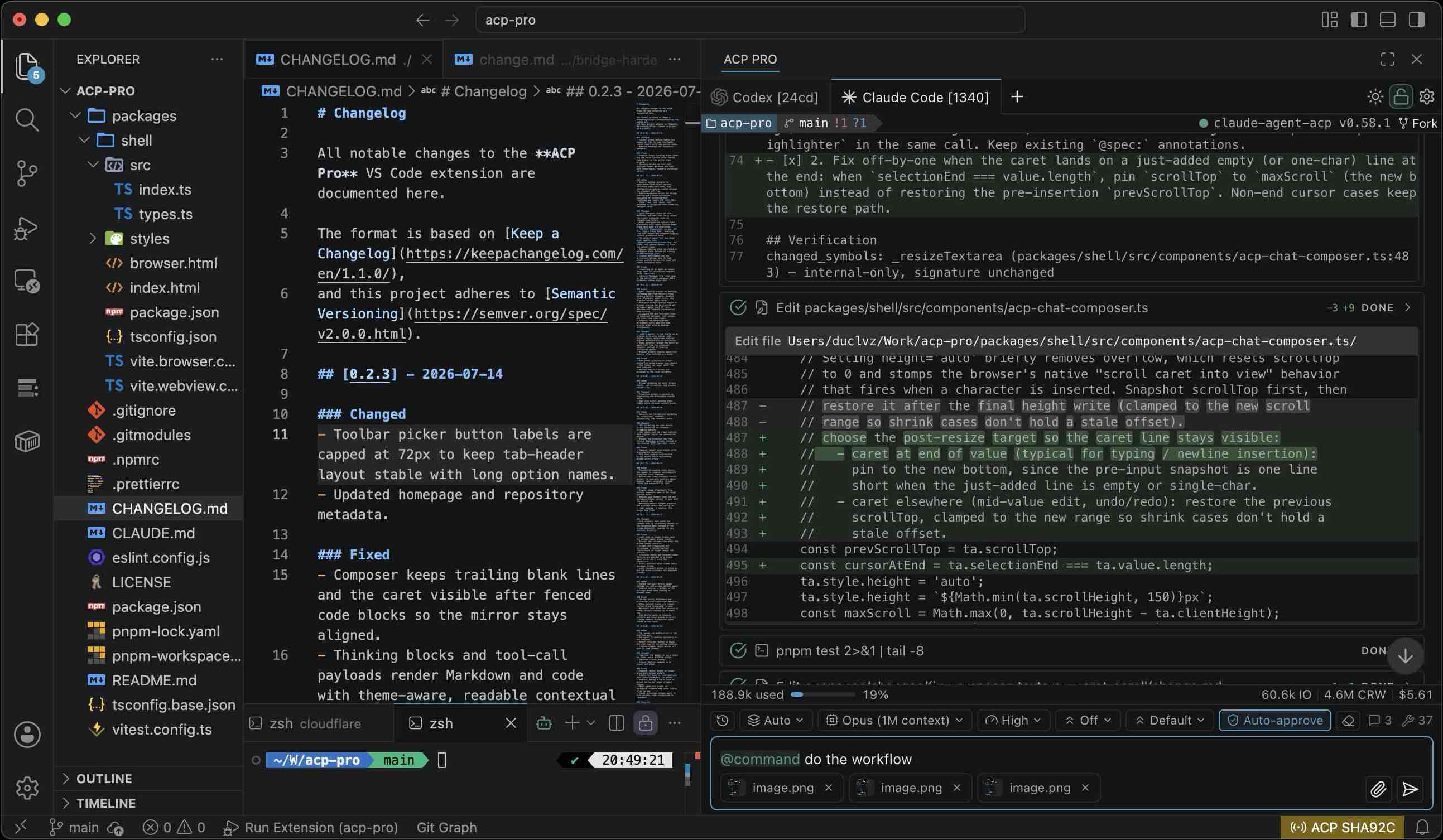
ACP Pro running parallel AI coding-agent sessions with visible tasks and controls

Open VSX supports VS Code-compatible IDEs including Cursor, Windsurf, Trae, and similar editors.

Release
0.2.3
Agents
Any ACP
Sessions
Parallel

Agent compatibility

Bring the agent you already use.

ACP Pro works with default agents and the growing ACP Registry. Add more compatible agents as the registry expands.

Browse the ACP Registry
Claude CodeCodex CLIGitHub CopilotGemini CLIQwen CodeOpenCodeAuggie CLIQoder CLIOpenClawClineCursorDevingooseJunieKiloKimi CLIMistral VibeAmpFactory DroidGrok BuildPoolsideVT CodeMore agents

How it works

From agent setup to work that follows you.

Choose the right agents, keep every step inspectable, and open the same live workspace in a browser when you move away from VS Code.

Follow live execution
ACP Pro sidebar showing parallel sessions, a live file diff, completed tool calls, git context, and composer controls
Plans and controls
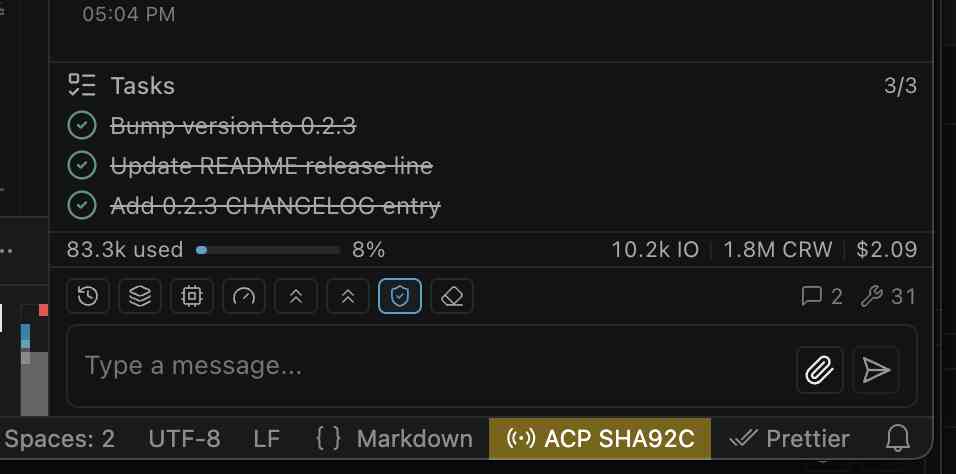
ACP Pro task plan, token and cost usage, model toolbar, permission control, and message composer

Keep the whole run in view.

Plans, streamed tool calls, file diffs, git context, token and cost usage, model controls, and permission mode stay visible around the conversation.

Why it helps

Review the evidence, cost, and completion state before accepting an agent’s result.
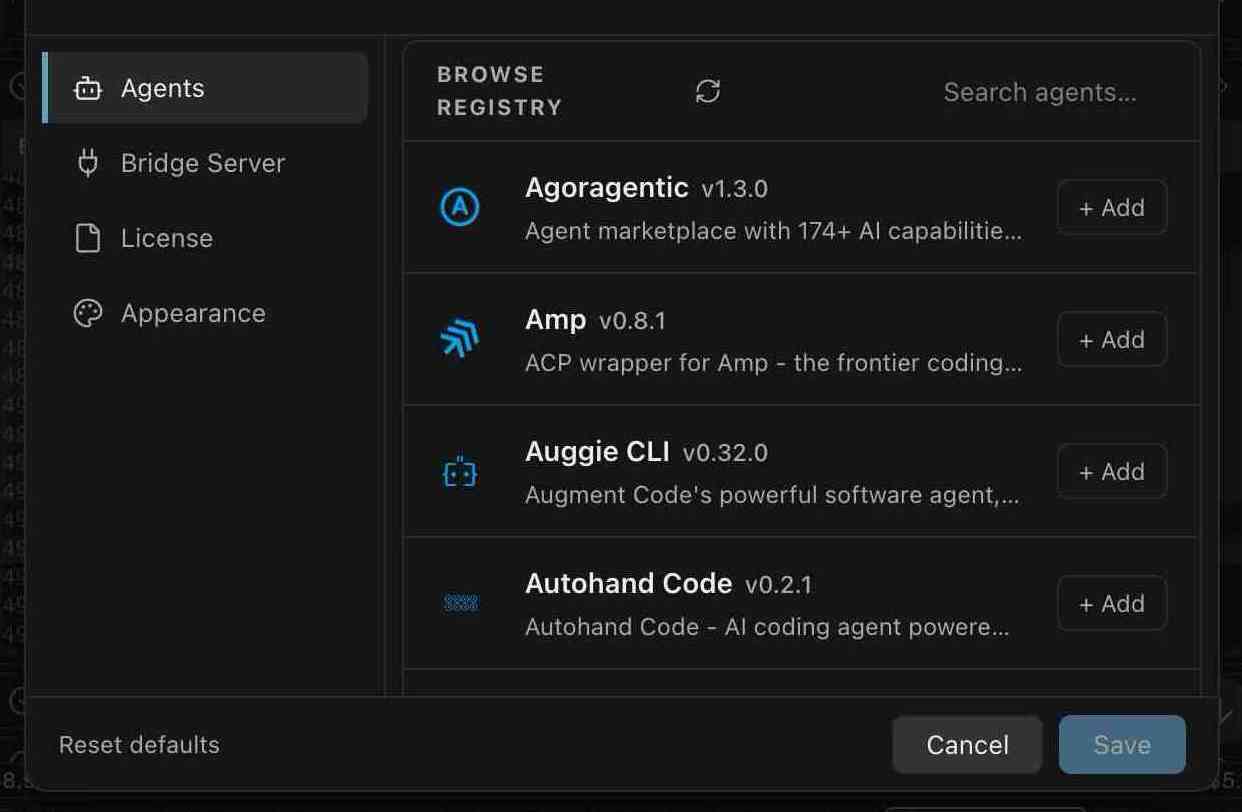
Browse the registry
ACP Pro agent registry open in VS Code with compatible coding agents ready to add
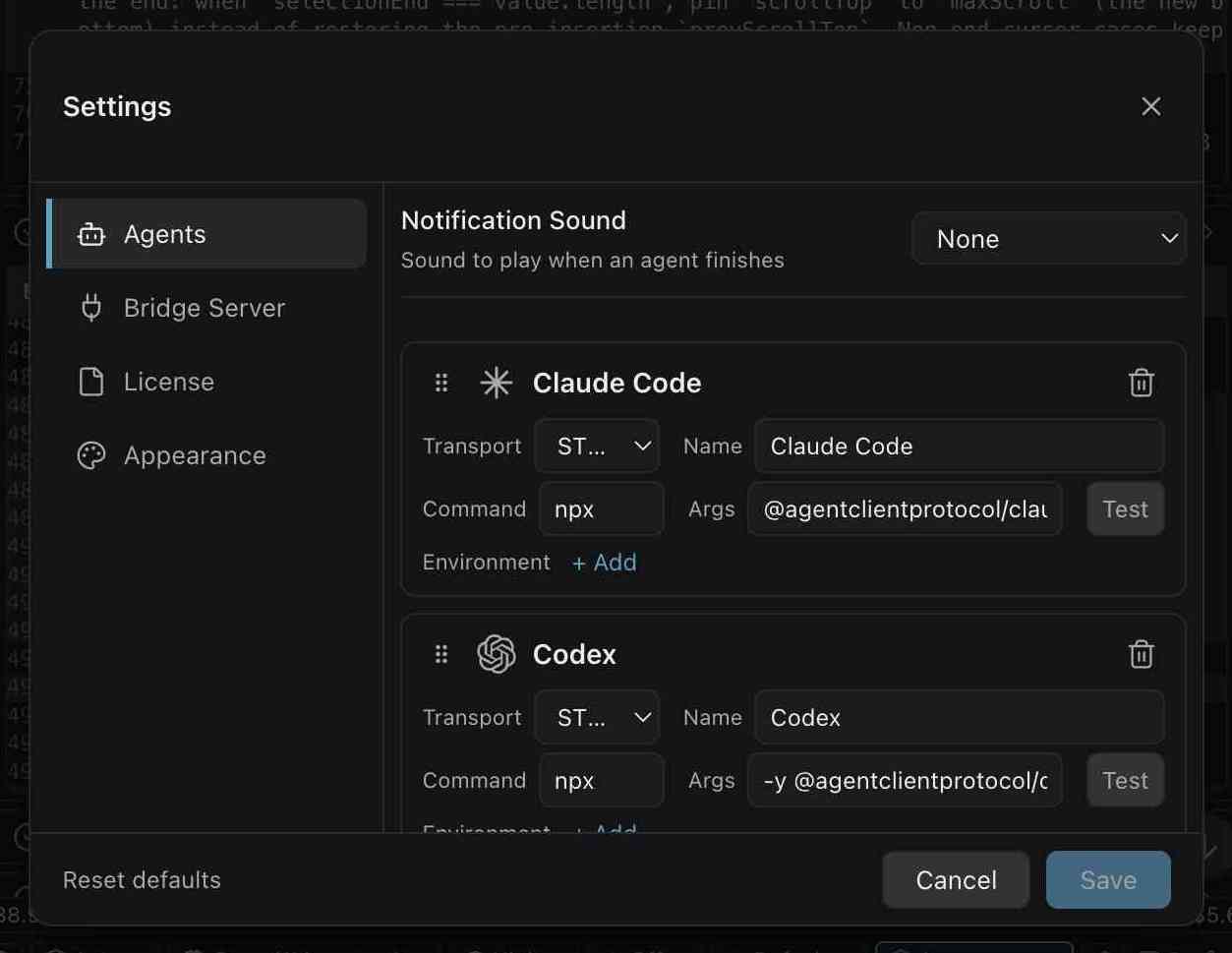
Configure your lineup
ACP Pro agent settings with editable transport, command, arguments, and environment controls

Build the agent lineup that fits the task.

Browse the ACP Registry, add compatible agents, then tune their command, environment, name, order, and notifications from one settings panel.

Why it helps

Keep specialized agents ready without hard-coding the workspace to one provider.

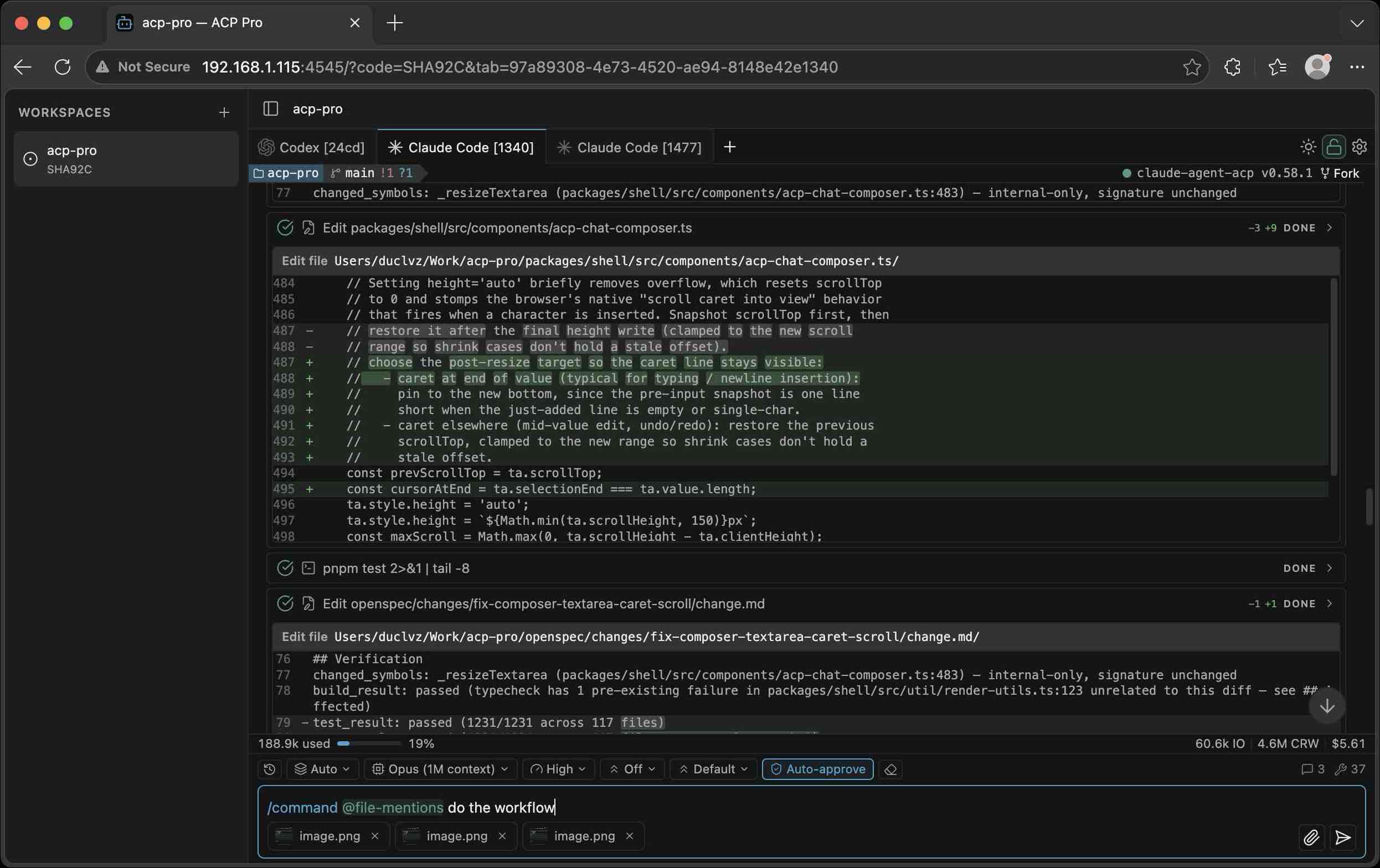
Desktop browser
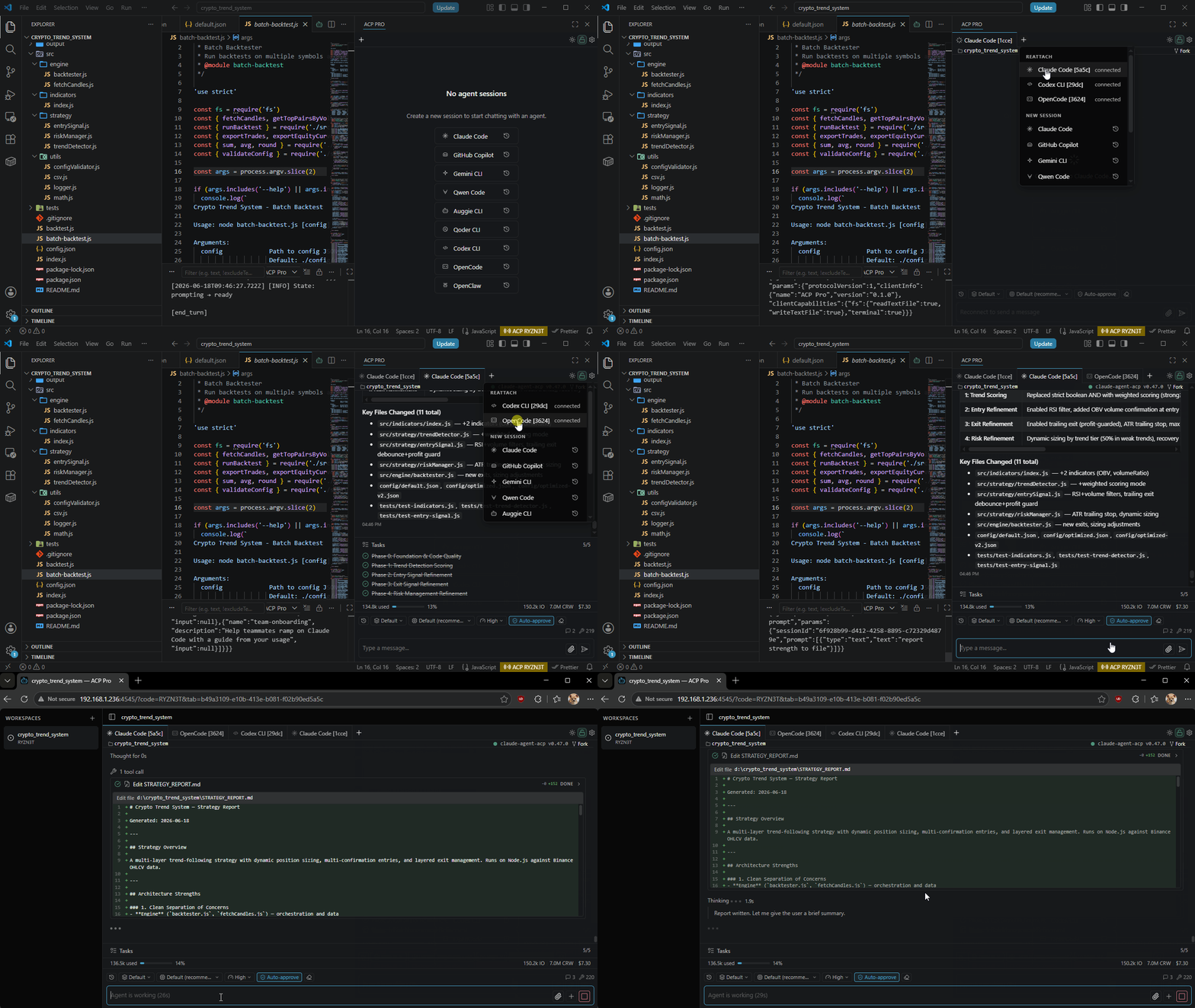
ACP Pro live workspace open in a desktop browser with agent tabs, tool results, and a file diff
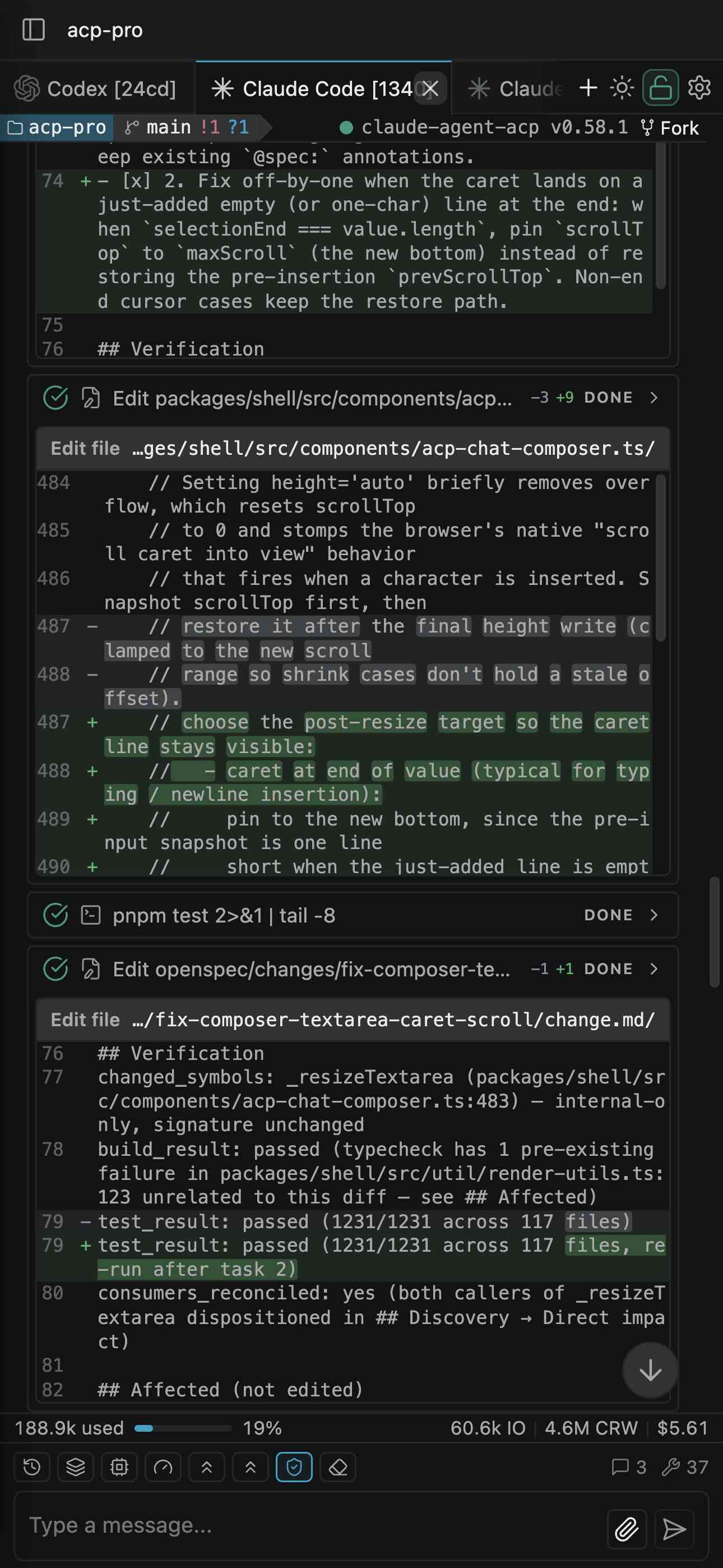
Phone browser
ACP Pro live workspace on a phone browser showing agent progress, diffs, usage, controls, and the composer

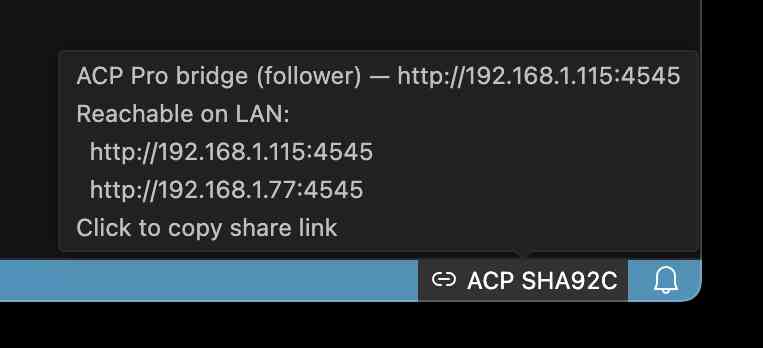
Take the live workspace with you.

Open the same workspace in a desktop or phone browser. Check a long-running task after you step away, intervene when needed, or invite a teammate to review the live evidence.

Why it helps

Agent work stays observable beyond your desk—without moving the session out of VS Code.

Built for daily work

Depth where the workflow needs it.

The screenshots show the flow. Underneath it, ACP Pro keeps agent choice, execution evidence, codebase state, and recovery organized for repeated use.

Agent workspace

Choose the right agent and keep each task’s context separate.

Parallel sessions, isolated context

Give every task its own history, model, permission mode, and working directory.

Agent setup without JSON editing

Browse the registry, add agents, reorder them, test commands, and manage updates visually.

ACP-native, not provider-locked

Bring any Agent Client Protocol implementation into the same VS Code workspace.

Visible execution

Follow the plan, inspect the evidence, and keep results readable.

Plans stay readable

Track execution in a task panel while reasoning stays in a separate expandable block.

Tool work you can inspect

Follow tool calls as they stream, with clear status, changed-line totals, and inline diffs.

Results keep their useful shape

Review Markdown, code, images, audio, diffs, resources, and links in the timeline.

Continuity and control

Keep the codebase attached and recover without rebuilding the session.

Codebase context stays attached

Keep each tab’s cwd, branch, staged changes, stash, and ahead/behind state visible.

Prompt from where you code

Use commands and skills, mention files or line ranges, attach context, or send a selection.

Sessions recover gracefully

Restore tabs after reloads, replay history, or start fresh when an agent drops a session.

Free to use. Pro adds control for browser access.

Every core agent workflow stays free. A Pro activation follows your VS Code client profile across local and remote workspaces while protected host keys keep the browser-access entitlement bound to approved environments.

Get a Pro license

What Pro adds

  • Core ACP chat experience remains free
  • Persistent custom browser access code
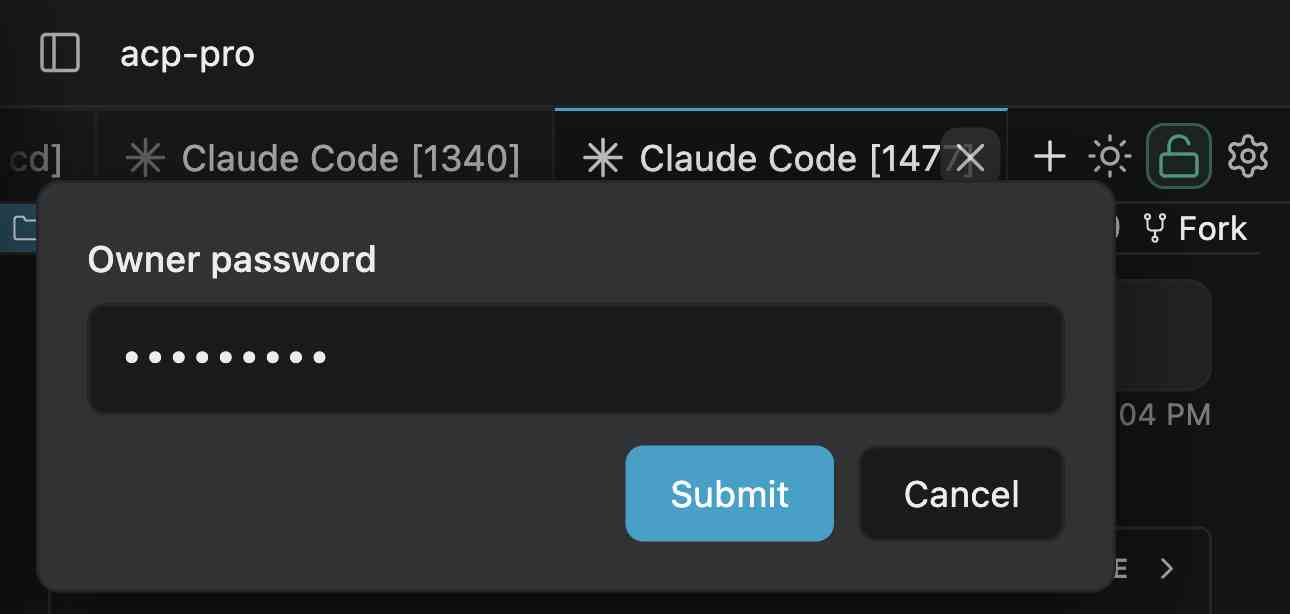
  • Owner password for browser control
  • Read-only/full-write browser toggle
  • One activation across a VS Code client profile
  • Offline-resilient validated license state

FAQ

Short answers before you install.

Which VS Code version is required?

ACP Pro requires VS Code 1.96 or later and Node.js 20 or later for agents launched through npx.

Does ACP Pro only work with one provider?

No. ACP Pro speaks Agent Client Protocol, so it can work with Claude Code, Codex CLI, Copilot CLI, Gemini CLI, Qwen Code, OpenCode, and any compatible agent.

Is the extension free?

The core extension is free to install and use. A Pro license unlocks optional browser-access controls such as a persistent access code and owner password.

Can remote browser access be disabled?

Yes. Browser access can be turned off per workspace from the Bridge Server settings.